Understanding TradingView: A Comprehensive Overview
In the realm of trading and market analysis, having access to the right tools can make all the difference. TradingView is one such tool that has garnered significant attention due to its robust capabilities, user-friendly interface, and versatility across different markets. Whether you're a novice trader or an experienced analyst, understanding TradingView's core functionalities and features is crucial for maximizing your trading potential. This article will delve into what TradingView is, its key features, and how it can empower traders to make informed decisions in today's dynamic market landscape. When exploring options, TradingView provides comprehensive insights into market behavior and trends, making it an invaluable resource for traders at every level.
What is TradingView and Its Core Functions?
TradingView is a cloud-based platform designed for traders and investors to analyze financial markets through interactive charts and a suite of analytical tools. Its intuitive design allows for real-time data synchronization across multiple devices, meaning users can seamlessly transition from desktop to mobile without losing their insights. The core functions of TradingView include:
- Real-time Market Data: Access to a wide array of asset prices from stocks, forex, cryptocurrencies, and commodities.
- Advanced Charting Tools: Users can customize their charts with various indicators, drawing tools, and layouts that enhance their analytical capabilities.
- Social Networking Features: Traders can share ideas, discuss strategies, and follow market trends through a community-driven platform.
Key Features of TradingView for Market Analysts
TradingView is packed with features designed to cater to the needs of market analysts. Here are some of the standout attributes:
- Multi-Timeframe Analysis: Analyze price movements across different timeframes, allowing for comprehensive insights into market trends.
- Custom Alerts: Set alerts for specific price levels or technical conditions to stay updated on market movements without constant monitoring.
- Integration with Other Tools: TradingView can be integrated with various brokers and trading platforms, enabling seamless trading experiences.
Benefits of Using TradingView for Every Trader
The benefits of utilizing TradingView extend beyond its features. It creates an environment conducive to informed decision-making, with advantages such as:
- Accessibility: Being web-based means trading analysis can happen anywhere, on any device.
- Community Support: The user community provides a wealth of shared insights, strategies, and educational resources.
- Regular Updates: TradingView frequently updates its features based on user feedback, ensuring it remains relevant and effective.
Getting Started with TradingView: Setup and Navigation
Setting up TradingView is straightforward and intuitive, making it easy for traders to begin their analysis promptly. The process involves creating an account, which can be done using an email address or social media accounts. Once registered, users can access a plethora of tools tailored to their trading styles. Here’s how to get started:
Creating Your TradingView Account: Step-by-Step Guide
- Visit the TradingView website and click on the sign-up button.
- Choose your preferred method of registration (email or social media).
- Fill in the required information and confirm your account through the email sent.
- Log in and explore the user-friendly dashboard.
Navigating the TradingView Interface: Essential Tips
Once logged in, users will encounter a well-organized interface. Key elements include:
- Charting Area: The main focus where you can customize and analyze your charts.
- Watchlist: A personalized section to track your favorite assets.
- Indicators and Tools: Access to a variety of analytical tools to enhance your charting capabilities.
Customizing Your Workspace for Optimal Analysis
One of TradingView's strengths is its customization options. You can rearrange your layout, choose color schemes, and save multiple workspace configurations tailored to different trading strategies or market conditions. This flexibility allows users to create an environment that suits their specific analytical needs.
Utilizing Advanced Charting Tools on TradingView
Chart analysis is at the heart of successful trading strategies, and TradingView excels in offering advanced charting tools. Here are some ways to maximize this functionality:
How to Effectively Use Chart Analysis Tools
Start with basic setups and gradually integrate more complex indicators as your familiarity with the system grows. Utilize the drag-and-drop feature to arrange your charts for different securities, enabling a comparative analysis that can uncover potential trading opportunities.
Integrating Technical Indicators for In-Depth Analysis
TradingView offers a vast library of indicators, including moving averages, RSI, MACD, and more. By analyzing historical price patterns with these indicators, traders can enhance their predictive capabilities and make more informed decisions.
Setting Up Multiple Chart Layouts for Comprehensive Insights
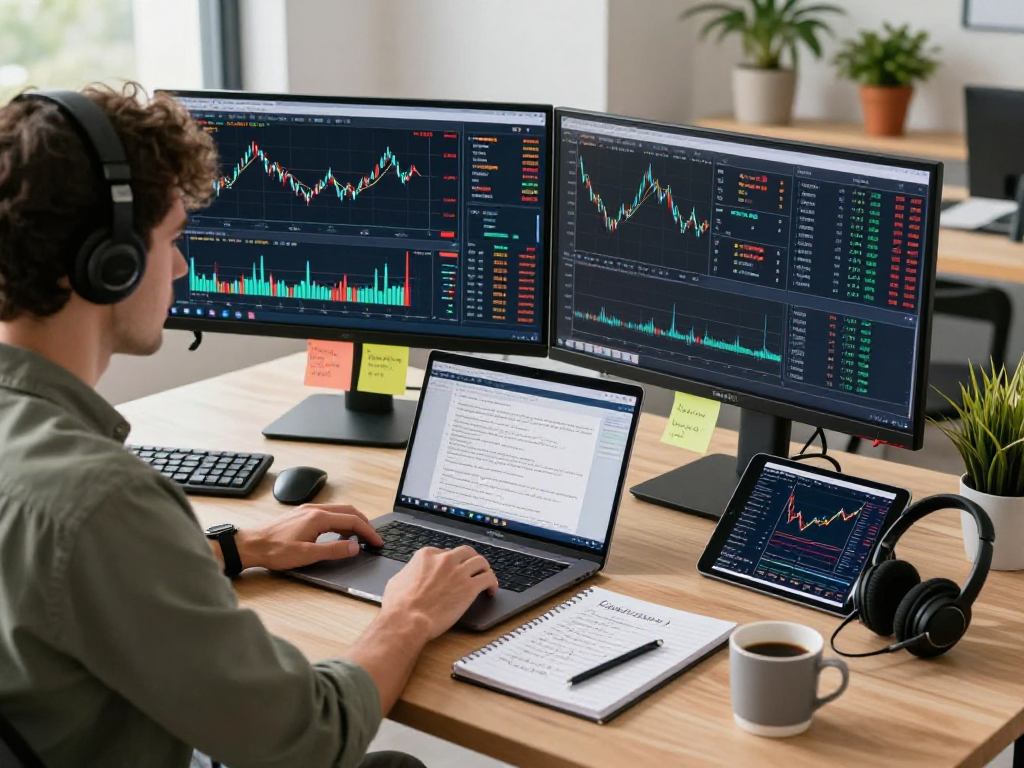
For traders looking to follow various markets simultaneously, TradingView supports multiple chart layouts. You can view different charts side by side, making it easier to correlate information across various assets.
Leveraging Alerts and Notifications on TradingView
Effective trading often hinges on prompt responses to market movements. TradingView incorporates robust alert systems to aid traders in staying ahead:
Types of Alerts Available on TradingView
TradingView allows users to set up various types of alerts, including:
- Price Alerts: Notifications triggered when an asset reaches a specified price level.
- Technical Alerts: Alerts based on specific indicators or chart patterns.
- Custom Alerts: Tailored alerts based on user-defined criteria.
Configuring Alerts for Price and Technical Conditions
Setting up alerts is a user-friendly process. Simply right-click on a chart or indicator and choose to create an alert, specifying conditions that suit your trading strategy. This functionality minimizes the need for constant monitoring and helps traders focus on critical decision-making.
Staying Updated: Real-Time Notifications Across Devices
Alerts can be sent via email or push notifications to mobile devices, ensuring that you receive real-time updates regardless of your location. The cross-device sync feature enables traders to remain informed while on the go.
Tips and Best Practices for Trading on TradingView
To truly benefit from TradingView, it's essential to implement best practices that can sharpen your trading strategy. Here are some tips for effective utilization:
Common Mistakes to Avoid as a Trader
Many traders fall into traps such as overtrading, neglecting risk management, or failing to follow their planned strategy. Establishing and sticking to a robust trading plan can help mitigate these risks.
Optimizing Your Trading Strategy Using TradingView
Leverage the platform's features to backtest strategies before implementing them with real capital. Use historical data and analysis tools to evaluate potential scenarios and improve your trading approach.
Future Trends in Trading and Technology Integration
The trading landscape is ever-evolving, with technology playing a crucial role. Staying informed about upcoming features on platforms like TradingView can provide valuable advantages. Integrating AI and machine learning techniques for predictive analytics is one trend to watch as it develops.
What are the Top FAQs about TradingView?
Addressing common questions can alleviate concerns for new users. These might include topics about pricing, functionality, and user experience, enabling a smoother starting process.
Who Can Benefit Most from Using TradingView?
TradingView is suitable for various users, including individual traders, investors, and financial professionals. Its versatile tools cater to those seeking technical analysis, fundamental insights, or community engagement.
How Can TradingView Help You Make Better Investment Decisions?
By providing comprehensive data and analytical tools, TradingView empowers users to make informed and timely decisions, adapting to market changes effectively.
What Makes TradingView Stand Out from Other Platforms?
Its user-friendly interface, extensive community features, and robust analytical tools set TradingView apart. This combination allows for a more social and supportive trading experience.
Is There a Need for a Desktop Version of TradingView?
While the web application covers most functionalities, some advanced users may prefer the desktop version for enhanced multi-monitor setups and extensive chart analysis over longer periods.